
Are Your MDS Submissions Telling the Whole Story?
When it comes to quality measures, Five-Star ratings, and PDPM reimbursement, the accuracy of your MDS data isn't just important — it's everything. If the data going into your analytics doesn't match what CMS actually has on record, your reports, projections, and financial calculations are working from an incomplete picture.
That's exactly the problem SHP's two new MDS Validation Reports are designed to solve.
Two Reports, Two Different Gaps
Think of it this way: your MDS data can go missing in two directions. Either SHP is missing an assessment that CMS has, or CMS is missing an assessment that SHP has. Each situation has a different cause and a different fix — and now there's a dedicated report for each one.
|
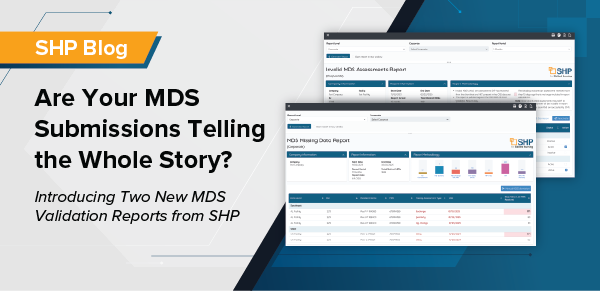
Missing MDS Assessments Report — "CMS has it, SHP doesn't" This report identifies MDS assessments that CMS has on record but are not present in the SHP system. This typically happens when an assessment is submitted directly to CMS without first going through the normal scrubbing workflow in the facility's EMR. |
Why does it matter? If SHP doesn't have the assessment, it can't be included in your quality measure calculations, Five-Star projections, or PDPM analytics. That gap can create a mismatch between what CMS reports and what you see in your SHP dashboard — and that mismatch can be costly and confusing when survey time arrives.
The report makes it easy to spot these gaps and provides a direct path to submit the missing assessments into the SHP system so your data lines back up with CMS.
|
Invalid MDS Assessments Report — "SHP has it, CMS doesn't" This report works in the opposite direction. It identifies assessments that exist in the SHP system — with all the characteristics of a valid, completed assessment — but have not yet been accepted by CMS. |
This often happens when a facility uses their EMR's scrub feature to send an assessment to SHP for review and feedback before submitting it to CMS. That's actually a smart quality practice. But it creates a temporary gap: SHP starts using that assessment in calculations before CMS has confirmed it.
This report flags those assessments so your team can take action — either complete the CMS submission or remove the assessment from SHP calculations before it affects your reported metrics.
The 15-Day Rule: Why Timing Matters
Here's the critical detail: if an assessment in SHP has not been matched to a CMS submission within 15 days, it will be automatically deactivated and removed from all report calculations. This is intentional — SHP is designed to align with CMS data, and using an unverified assessment beyond that window risks skewing your analytics.
The good news is you don't have to wait. Your team can proactively deactivate any assessment at any time through the report. Just be aware: once deactivated, an assessment cannot be reactivated within SHP. The only way to restore it to your calculations is to have it submitted to and accepted by CMS.
A Unique Advantage for SHP-Integrated Facilities
For facilities whose EMR is integrated with SHP, there's an added benefit. Because SHP receives MDS data at the time of completion — before it ever reaches CMS — SHP is in a unique position to catch potential submission errors early, while there's still time to act. This early visibility means problems that might otherwise go unnoticed until a Five-Star rating drops or a PDPM reimbursement is questioned can be identified and corrected upstream, before they have any downstream impact on your outcomes.
Bottom Line
Accurate MDS data is the foundation of every metric your facility tracks — and every metric your surveyors, payers, and leadership team rely on. These two new reports give your team the visibility to catch data gaps from both directions, close them quickly, and keep your SHP analytics in sync with CMS records.
Ready to Get Started?
Have questions about the new reports or need help getting started? Reach out to your Senior Account Manager, or if you're not yet an SHP client, connect with our team to learn how these tools can help keep your MDS data accurate and your analytics in sync with CMS.
Both reports are available now. To help you hit the ground running, we've posted a brief recorded walkthrough video on your SHP portal home page — look for it in the IntelliLogix News section alongside the official report release announcement. It's a quick watch that covers both reports and shows you exactly what to look for in your data.
Once you've had a chance to review the video, log in and run the Missing MDS Assessments Report and the Invalid MDS Assessments Report — both found under the MDS category in the Reporting menu. Take a close look at what your data shows. Even small discrepancies between your SHP records and CMS can have downstream effects on your quality measures, Five-Star ratings, and PDPM calculations, so the sooner you review, the better.
If you have any questions or concerns after reviewing your reports, please don't hesitate to reach out to your Senior Account Manager — they're ready to help you work through anything you find and ensure your data is in the best possible shape.
As always, thank you for your continued trust and support. We remain committed to giving your team the tools and insight needed to deliver the best possible care outcomes for your residents.
About the Author

Greg Seiple
Vice President - Clinical Informatics
Greg Seiple's journey in Long Term Care began as a nursing assistant in 1993, while pursuing his nursing degree. Over 19 years with HCR ManorCare, he progressed from various facility roles to Assistant Vice President in Clinical Services. Greg's expertise extends to VP and SVP roles in corporate clinical teams. Now, as VP of Clinical Informatics at SHP/IntelliLogix, he brings a wealth of experience. Additionally, Greg shares his knowledge as an adjunct instructor at Penn State University, teaching in the Nursing Home Administrators course.